Maven / GIT Interview Questions
What is the difference between a GIT tag and a branch?
In Git, both branches and tags are pointers to specific commits, but they serve different roles in the development lifecycle.
| Feature | Branch | Tag |
|---|---|---|
| Purpose | Used for active development (features, bug fixes). | Used to mark milestones (releases, version numbers). |
| Movement | Mutable: The pointer moves forward automatically when you add new commits. | Immutable: Once set, it stays on that specific commit forever (unless manually forced to move). |
| Lifecycle | Usually temporary; deleted after merging into the main line. | Usually permanent; kept for historical reference to specific software versions. |
| Storage | Located in .git/refs/heads/. | Located in .git/refs/tags/. |
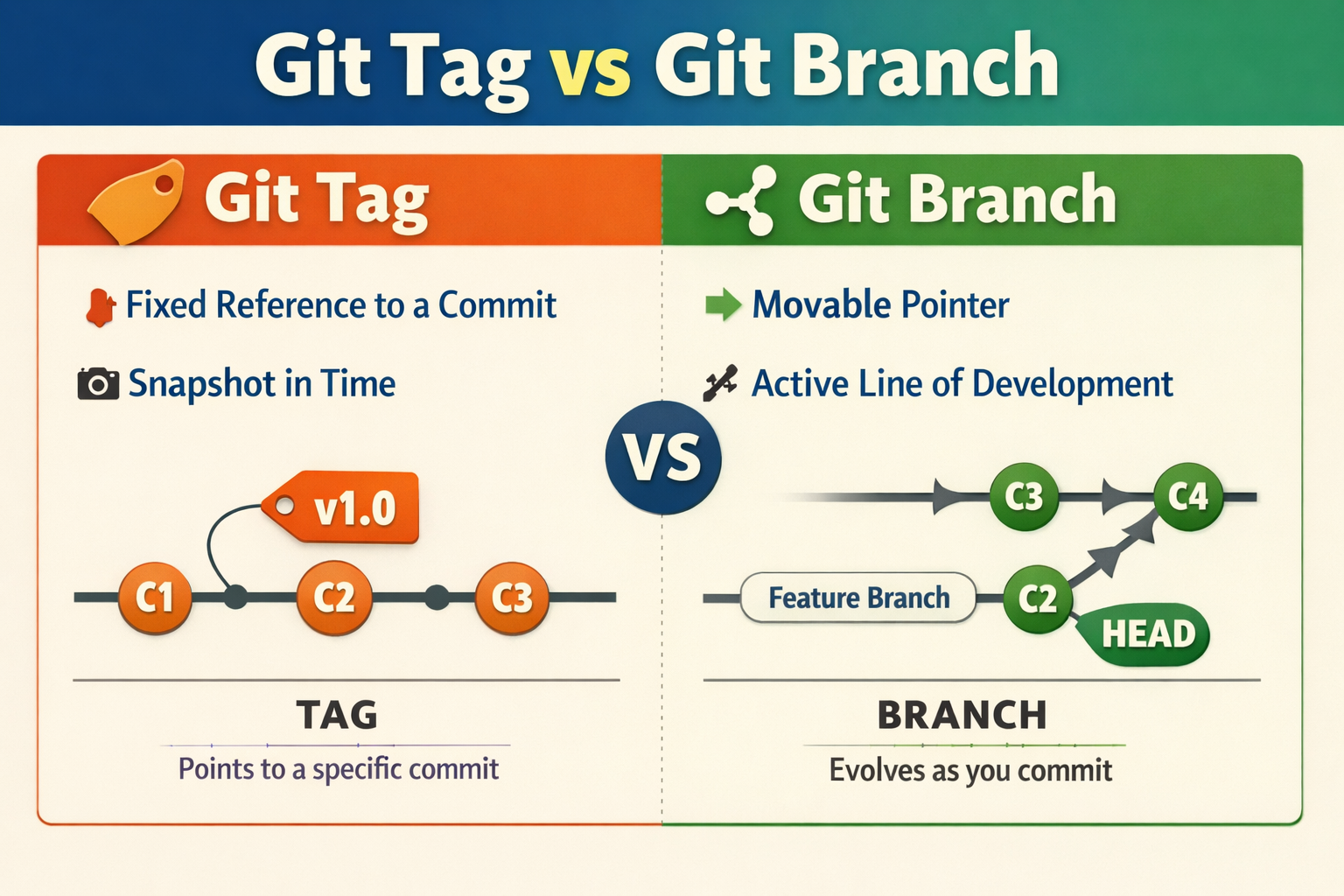
When to Use Which?
Use a Branch if you intend to add more commits to that line of work. Use a Tag if you want to "freeze" a version so you can return to that exact code state later, regardless of future development.

Invest now in Acorns!!! 🚀
Join Acorns and get your $5 bonus!
Acorns is a micro-investing app that automatically invests your "spare change" from daily purchases into diversified, expert-built portfolios of ETFs. It is designed for beginners, allowing you to start investing with as little as $5. The service automates saving and investing. Disclosure: I may receive a referral bonus.

Invest now!!! Get Free equity stock (US, UK only)!
Use Robinhood app to invest in stocks. It is safe and secure. Use the Referral link to claim your free stock when you sign up!.
The Robinhood app makes it easy to trade stocks, crypto and more.

Webull! Receive free stock by signing up using the link: Webull signup.
More Related questions...
